Inkbar
A full PDF editor for your web app, with components for Vue, React and Svelte. MIT licensed, with no licence fee.
Inkbar renders, annotates and redacts PDFs in the browser and writes the annotations back into the file. It gives you the parts to build the viewer's UI in Vue, React, Svelte or plain TypeScript, and it's free under the MIT licence.
The problem
Your users want to open a PDF, mark it up and send it back without leaving your app. The commercial PDF SDKs do that, and they charge per seat, per domain or on a contact-sales call. PDF.js Express Plus costs $595 a month and still can't write annotations into the file without its metered server API.
PDF.js is free, but it renders pages and stops there. The toolbar, the annotations, undo and keyboard support are yours to build. And every option I looked at hands each framework the same imperative object: load it into a ref, call methods on it, listen for events.
What Inkbar does differently
Inkbar ships components and hooks for Vue 3, React 19 and Svelte 5, plus createViewer for apps with no framework. All four sit on one core and one stylesheet. You build each toolbar in your own markup from Inkbar's controls, so you keep the buttons you need and add your own beside them. The theme uses zero-specificity rules, so your CSS wins without !important.
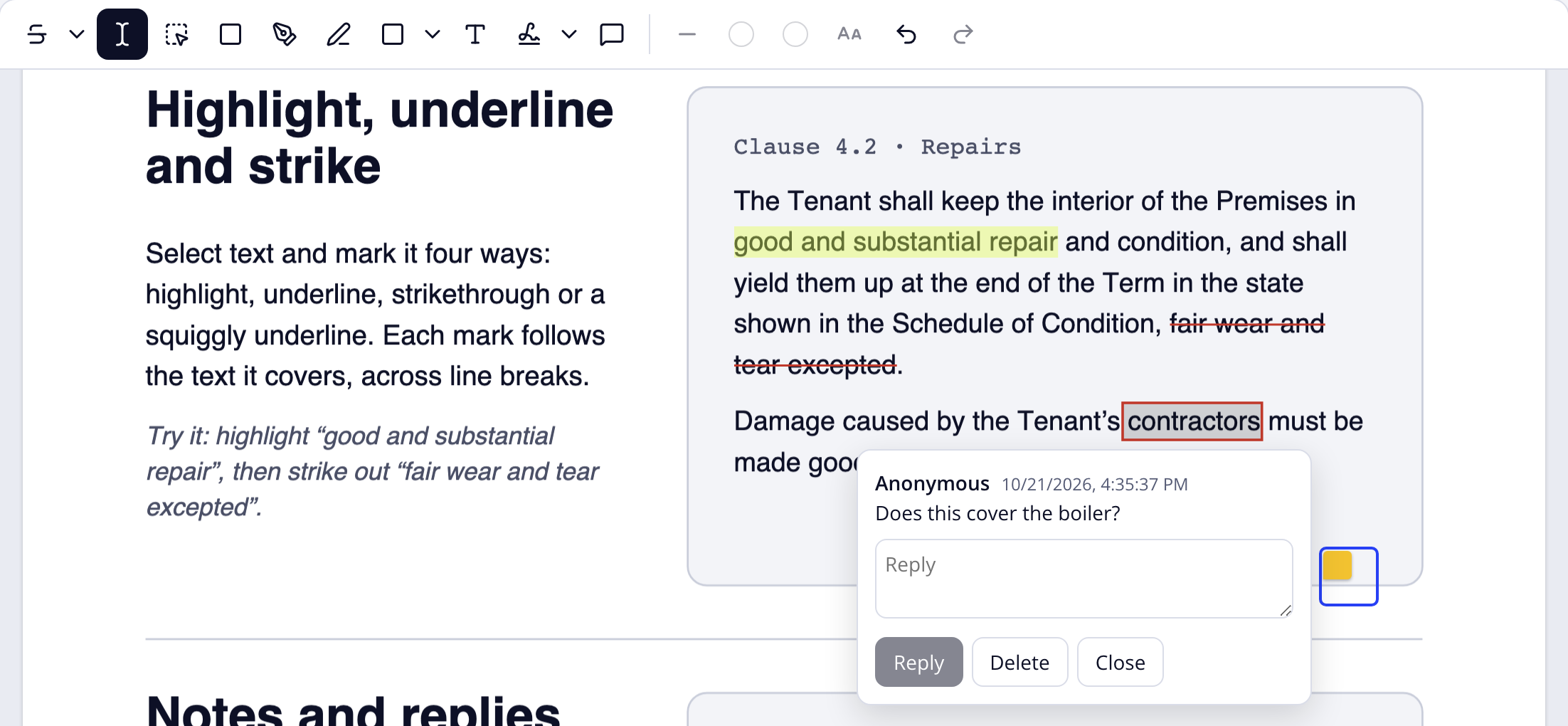
Annotations are plain objects in Gloss, an open JSON format for PDF annotations. You can keep them in your own state and save them to your own backend, or let Inkbar hold them, and undo and redo work either way. Highlights, notes with reply threads, freehand ink, shapes, text boxes, form fields and signatures are all there.
For redaction, you mark text or areas by hand, or feed in marks from your own detector through the same API. Apply redactions removes the content under the marks, strips the metadata, attached files, scripts and thumbnails, then checks the result before it shows you the redacted file. When Inkbar can't remove something under a mark, such as a patterned fill, it refuses the mark.
How it's built
The core is plain TypeScript with no framework dependency, and the Vue, React and Svelte packages are thin layers over it. Saving and redaction go through @inkbar/engine, a WebAssembly build of PDFium that takes Gloss annotations and writes them into the file. The engine loads on the first save that has changes, so a visit that only reads a PDF never downloads it. PDF.js still draws the pages, and PDFium is taking that over too.
Everything works in one coordinate system, PDF points from the bottom-left of the page, and only one file converts to CSS pixels. Inkbar keeps nothing in localStorage, cookies or the network unless you hand it a store that does.
Where it stops
Inkbar doesn't open XFA forms, since those need a JavaScript engine that no WebAssembly build of PDFium includes. It doesn't clean hidden layers or look for redacted words elsewhere in the file, such as bookmark titles. The @inkbar/core README lists every redaction limit.
Why I built it
I wanted a PDF editor I could drop into a web app the way I'd add any other component, with annotations I could keep in my own state. The options I found were expensive or stopped at rendering, so I built one and made it free. I wrote about the annotation format underneath it in One annotation format for Vue, React, Svelte and the PDF.
Install the core, the theme and the package for your framework:
pnpm add @inkbar/react @inkbar/core @inkbar/themeThe sandbox runs the viewer in all four flavours. Drop in your own PDF to try it; the file stays in your browser. The source is on GitHub and the docs are at inkbar.dev.