Preflash
Run an ESP-IDF project on your Mac in a window shaped like the board's screen, and skip the flash while you work on it.
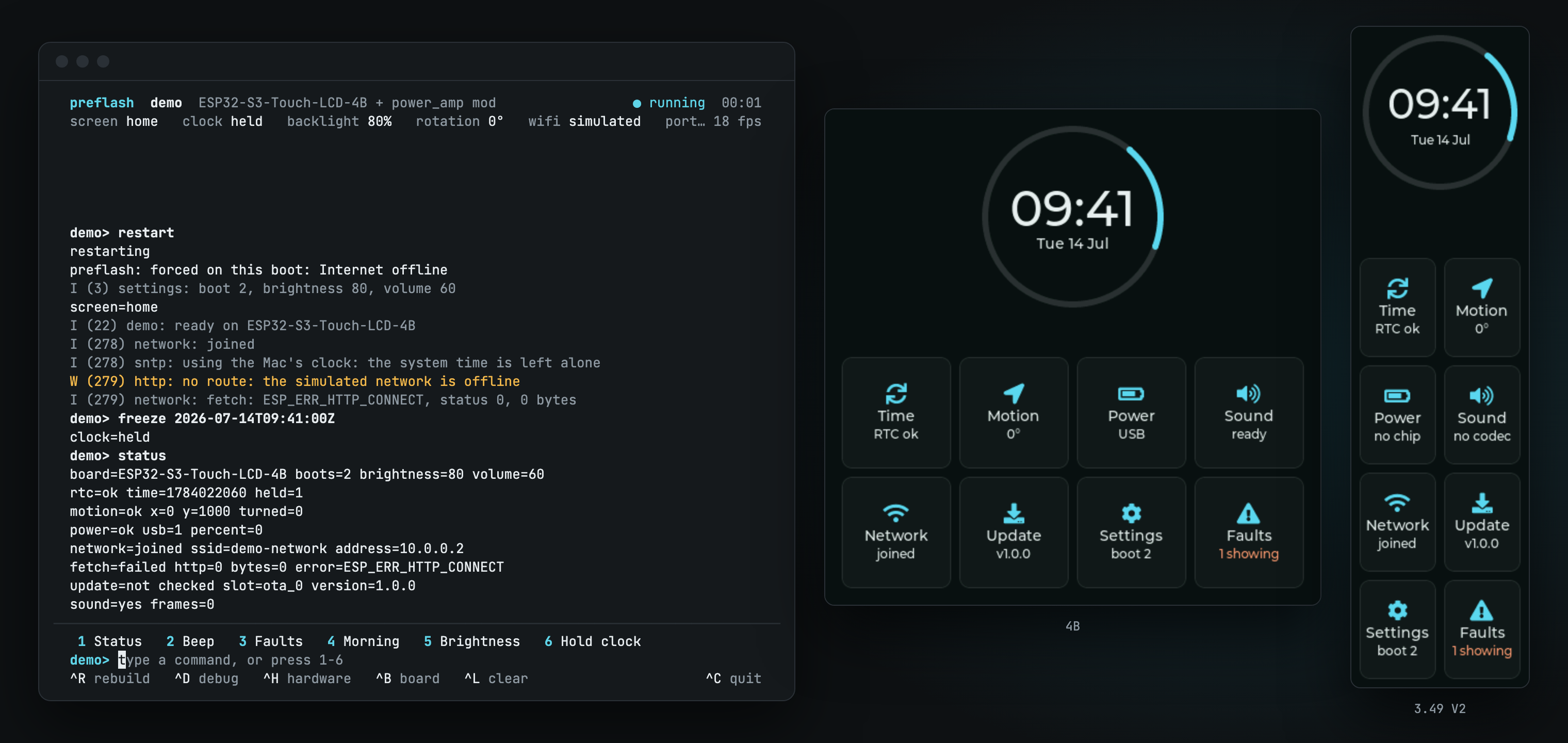
Preflash builds an ESP-IDF project for your Mac and runs it in a window the shape of the board's screen. Your own drivers and LVGL screens run unchanged, with stand-ins for ESP-IDF's services and models of the board's chips underneath them. Two Waveshare ESP32-S3 boards come built in, and you can describe your own board in YAML.
The problem
On an ESP32 board with a screen, you change one line of UI, wait for a build, wait for a flash and then walk over to the device to look. If a label wraps or a colour is a shade off, you go round again. A morning of layout work turns into a morning of watching a progress bar.
Xcode and Android Studio each ship a simulator, so a phone developer sees a UI change in a window a few seconds after saving. ESP-IDF has nothing like it for a board with a display, touch and a handful of I2C chips.
What Preflash does differently
Preflash takes your project as it is. You add no simulator flag, no fake files and no #ifdef. It compiles your firmware for the Mac against its own copy of the ESP-IDF headers, so FreeRTOS tasks run on host threads, NVS saves to a folder per checkout, and HTTPS goes out over your Mac's network connection.
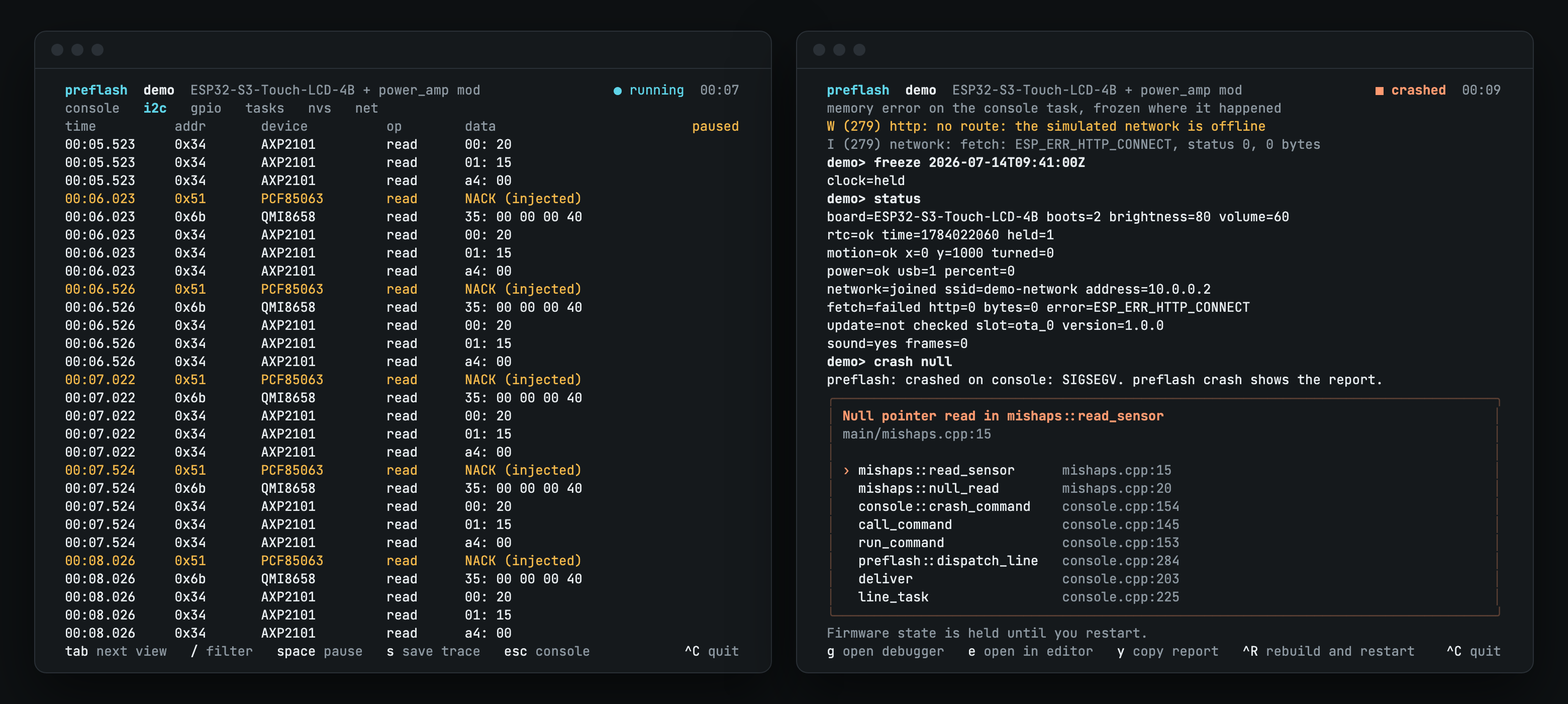
The chips get the same treatment. When your driver reads the RTC or the power chip over I2C, a model of that chip answers at register level, so your driver code runs against something that behaves like the part on the board. From the terminal you can take a chip off the bus or drop the battery to 15% and watch how the firmware copes.
When firmware calls something Preflash hasn't implemented, the build or the run stops and names the call. You find out at your desk, and the firmware never carries on as if the call had worked.
A terminal app runs beside the window with the serial console, buttons for your own console commands, and views that trace I2C, GPIO, tasks, NVS and network traffic. A crash report points at the line of source it came from. Every command also works from a script over a local socket, so a CI job or a coding agent can tap the screen and save screenshots with no window open.
How it's built
The command line and terminal app are Go, with the interface built on Charm's Bubble Tea and Lip Gloss, as in Nearhost. The runtime is C and C++: a CMake layer that stands in for IDF_PATH, the ESP-IDF headers your firmware compiles against, the stand-ins, the chip models, and an SDL2 window that draws the panel and plays the speaker through your Mac.
Boards are YAML files. A board made from chips Preflash already models needs no new code, and a board file can extend a stock board to describe your own rework. Preflash runs on Apple Silicon Macs.
Where it stops
A clean run in Preflash doesn't prove the hardware works. It can't show you real I2C timing, stack and memory limits, tearing or how the touch panel feels. The chip models come from datasheets and Waveshare's documents, and nobody has compared one against a real chip yet. Flash the board before you ship.
Why I built it
I built two gadgets on Waveshare boards: a small display that shows chosen notifications from my Mac, and a sleep training clock for my daughter. Reflashing for each UI tweak wore me down, and the one tool I found, Esprite, simulates Arduino projects where mine use ESP-IDF. I wrote up that story in A simulator for ESP32 boards with screens.
Preflash is MIT licensed and free. Install its build tools with Homebrew, then run the install script:
brew install cmake sdl2
curl -fsSL https://raw.githubusercontent.com/edcs/preflash/main/install.sh | sh
The README covers the rest. The repo includes a demo project that runs on both stock boards, so you can try Preflash before you point it at your own firmware.