A simulator for ESP32 boards with screens
I've built Android and iOS apps for years, and both platforms give you a simulator inside the IDE. You save a change, the app reloads in a window beside your code, and you pick up a real phone when you need one. You stop noticing how much time that saves until you work somewhere without it.
Two gadgets and a lot of flashing
I've played with ESP32 boards for a long time, mostly connected gadgets and clocks around the house. Then I came across Waveshare's ESP32-S3 range. Each board puts a touch display, a speaker, an SD card reader and a set of sensors on one small PCB, so you can build a finished-looking device without soldering anything.
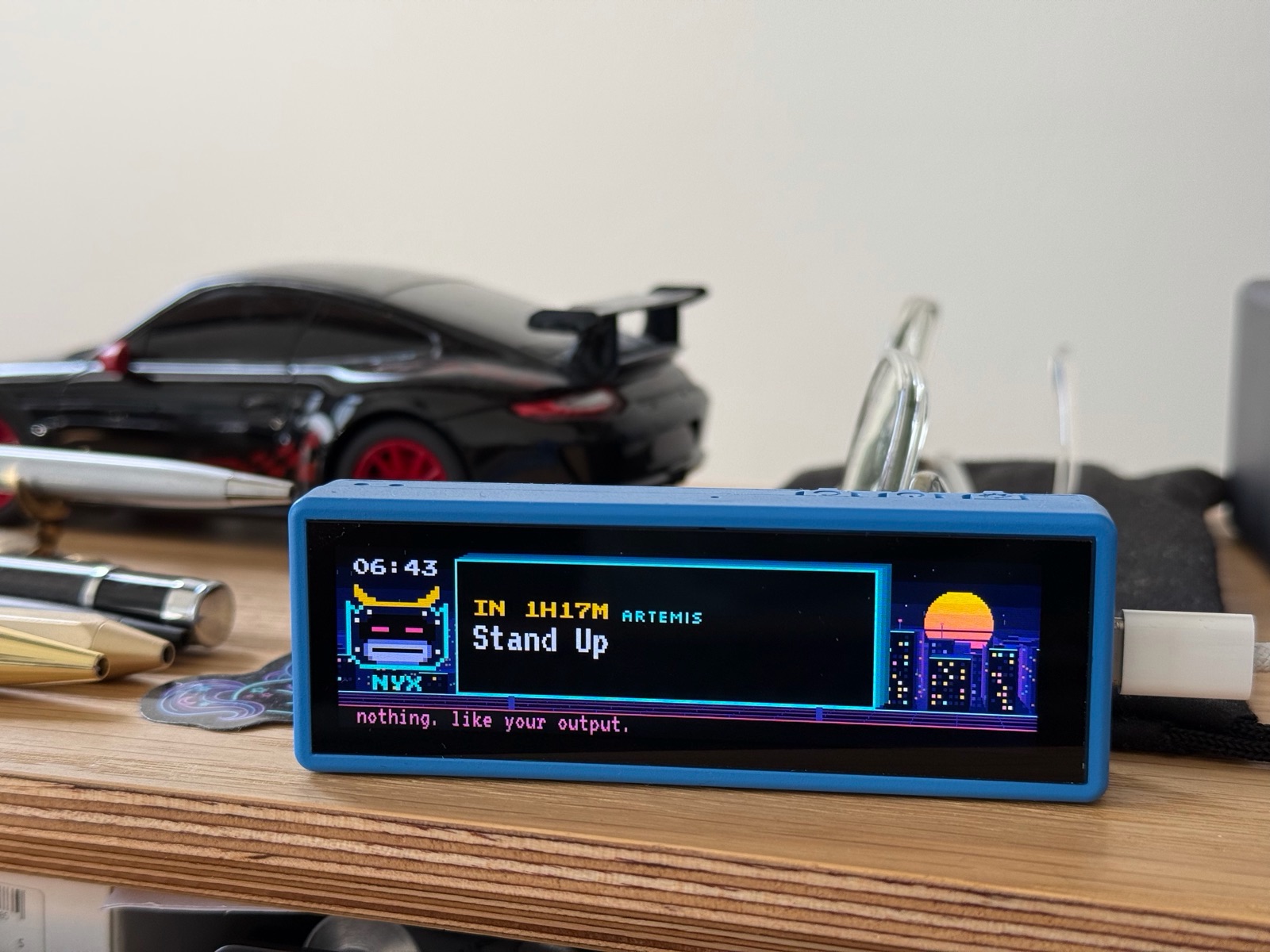
I used them to build two things. Nyx is a small external display for my Mac that shows chosen push notifications from the macOS Notification Center, here counting down to a stand-up.
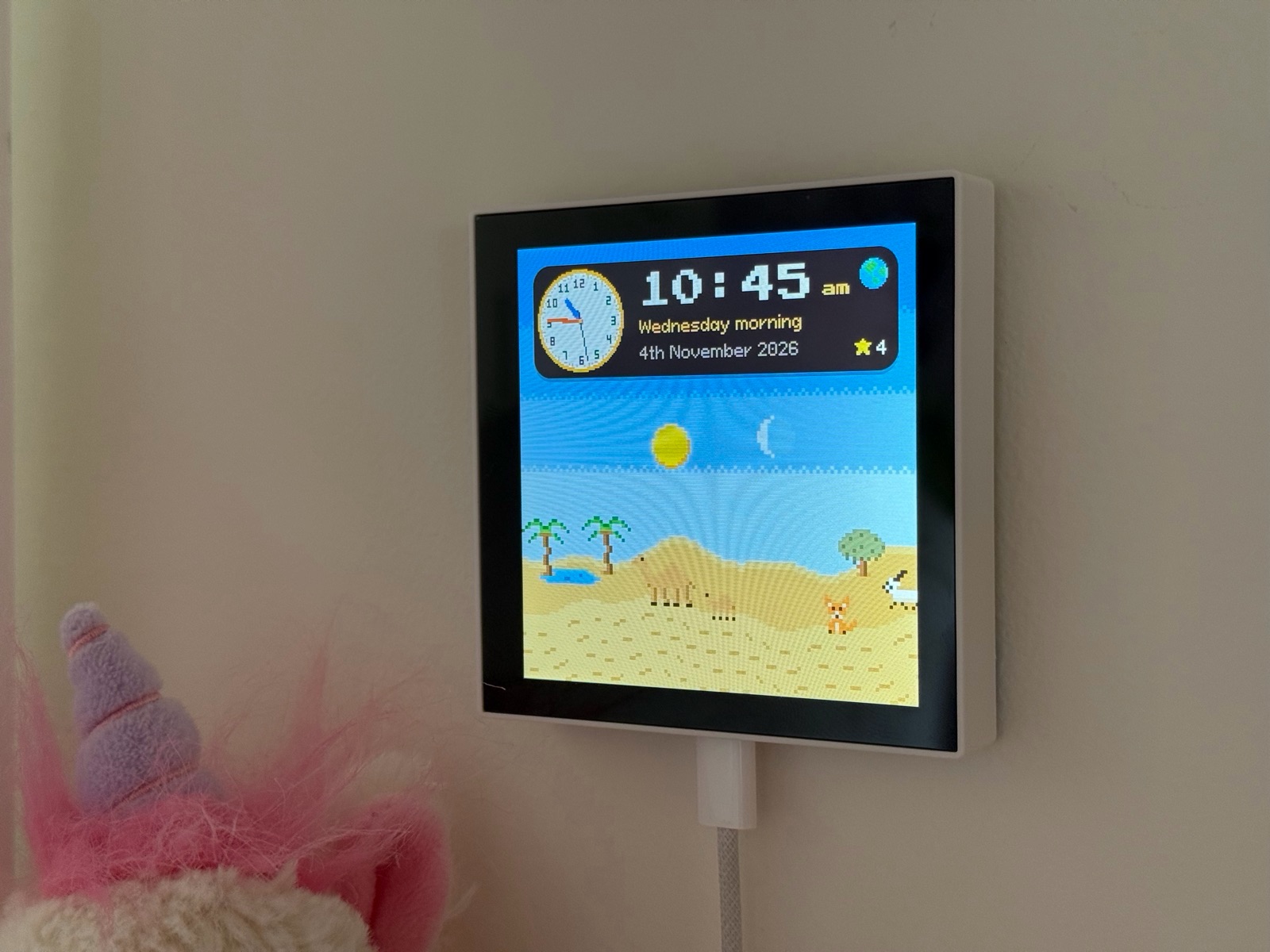
Snoozel is a sleep training clock for my seven-year-old daughter.
Most of the work on both went into the screen. On an embedded board, screen work runs in a loop: change a margin, build, flash over USB, wait for the board to reboot, then look. Each round takes long enough to break your concentration, and you go round again for every nudge.
Looking for a simulator
A Waveshare board is a known quantity. Every unit of a model has the same panel, the same touch controller and the same chips at the same I2C addresses. That looked like the ideal case for a simulator, so I went looking for one.
I'd built my earlier ESP32 projects with PlatformIO and the Arduino framework. I couldn't use PlatformIO with these boards, and Waveshare's support for ESP-IDF, Espressif's own framework, looked better anyway, so both gadgets use ESP-IDF.
The tool I found was Esprite, which simulates Arduino projects on your computer. It was the kind of tool I wanted, and it couldn't run an ESP-IDF project. So I built Preflash to do that job for ESP-IDF.
Where to draw the line
Preflash compiles an ESP-IDF project for the Mac and runs it in a window shaped like the board's screen. The design question was which layer to fake.
Faking the board support package would have been easiest. Return a framebuffer from the display call, a fixed time from the RTC call, and the UI draws. My bugs, though, lived in the code below that: the driver that reads the RTC at boot, the code that decides what to show when the battery runs low. A fake at that level would have hidden them.
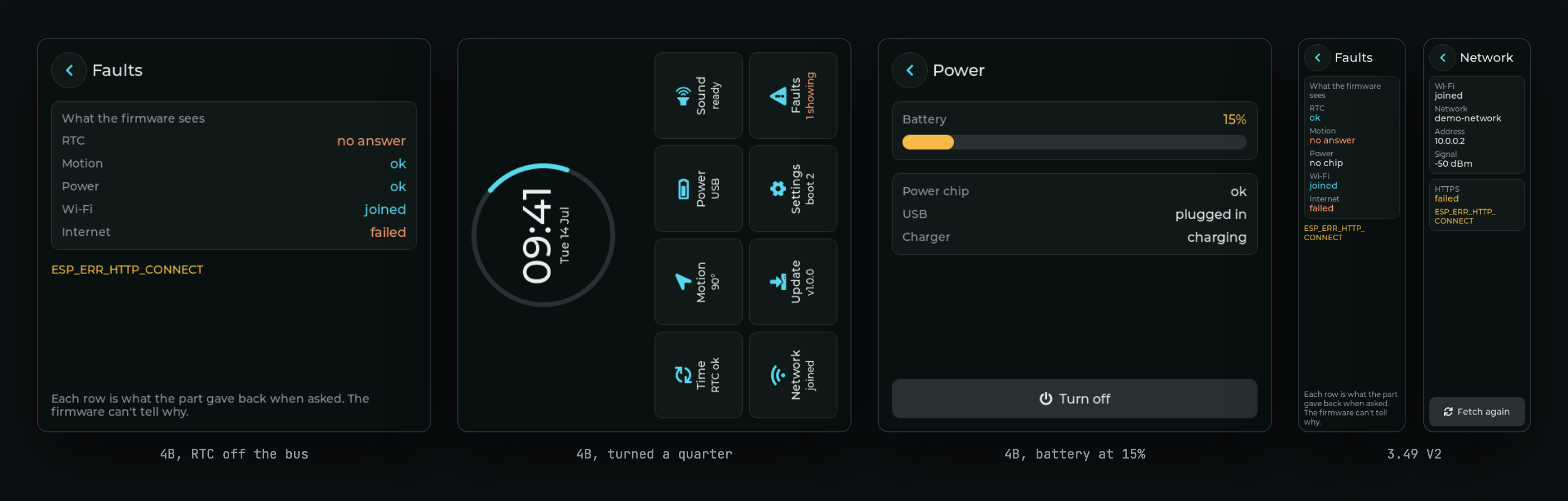
Preflash fakes ESP-IDF instead. The I2C, GPIO, NVS, Wi-Fi and FreeRTOS calls go to stand-ins that run on the Mac, and every chip on the bus has a model that answers at register level. My own driver code runs, sends the same bytes it sends on the board, and gets answers that behave like the chip's. From a second terminal I can take the RTC off the bus, and the bundled demo's Faults page shows it missing.
Failing loudly
The clock ran on Preflash unchanged until I added over-the-air updates to it. The next build stopped on esp_timer_handle_t and vTaskDelete, which Preflash didn't provide yet. I added stand-ins for both and the clock ran again.
That stop is deliberate. When firmware calls something Preflash hasn't implemented, the build or the run halts and names the call. A simulator that returned success for those calls would have shown me a working clock while its update code did nothing, and I'd have trusted it.
The terminal app
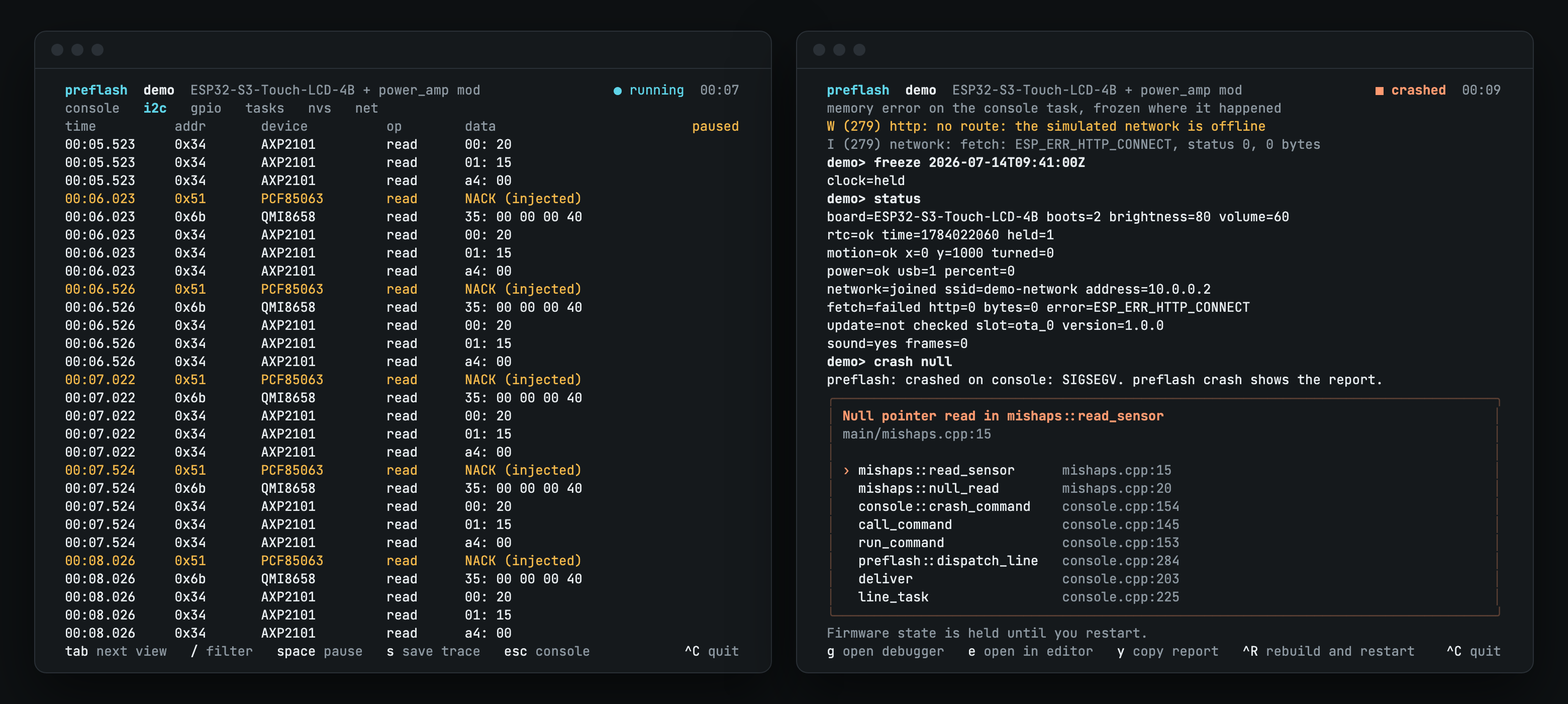
The window shows the panel, and a terminal app beside it shows the rest: the firmware's serial console, buttons for your own console commands, a board picker, and views that trace I2C, GPIO, tasks, NVS and network traffic.
I wrote it in Go with Charm's libraries: Bubble Tea for the app, with Bubbles and Lip Gloss for the components and styling. I used the same stack for Nearhost, and after two projects it's fast becoming my favourite way to build command line tools.
What it can't tell you
A run in Preflash says nothing about real I2C timing, stack size, memory under TLS, tearing or how the touch panel feels. The chip models come from datasheets and Waveshare's documents. Preflash includes capture firmware and a preflash check command to compare a model against a real chip, and nobody has run that comparison on a real board yet. I still flash the board before I ship anything, and I do it a lot less often.
Try it
Preflash is MIT licensed and runs on Apple Silicon Macs. It ships with the ESP32-S3-Touch-LCD-4B and ESP32-S3-Touch-LCD-3.49-V2, and you can describe other boards in YAML. Install it, then run the demo from a clone of the repo:
brew install cmake sdl2
curl -fsSL https://raw.githubusercontent.com/edcs/preflash/main/install.sh | sh
git clone https://github.com/edcs/preflash && cd preflash
preflash --project examples/demo
The source and docs are on GitHub.